Snapshot
Problem
Trade websites go stale because every text change has to go through a developer.
Goal
A site that brings enquiries, and that the owner can change without any technical knowledge.
My role
Concept, design and build of both the website and the admin area, solo.
Outcome
Every text editable, with version history. Lighthouse 94 / 97 / 100 / 100.
Context
A master roofing company in North Rhine-Westphalia courts two very different visitors at once: homeowners comparing several firms, and commercial clients checking credentials.
On sites like these, what stands out isn't the design: it's the state of them: prices from two years ago, opening hours that no longer hold, a team that has since changed. Not through neglect, but because every edit means emailing someone who may or may not reply.
That became the real brief: not just build a good site, but one that is still correct in two years.
How to read this project
NordDach is a concept project. The company, its contact details and its references are invented; there was no client and no user research. The design, the build, the admin area and the measured scores are real.
Design
Three decisions shape the site: each one follows from the fact that the business is meant to keep and maintain it for years.
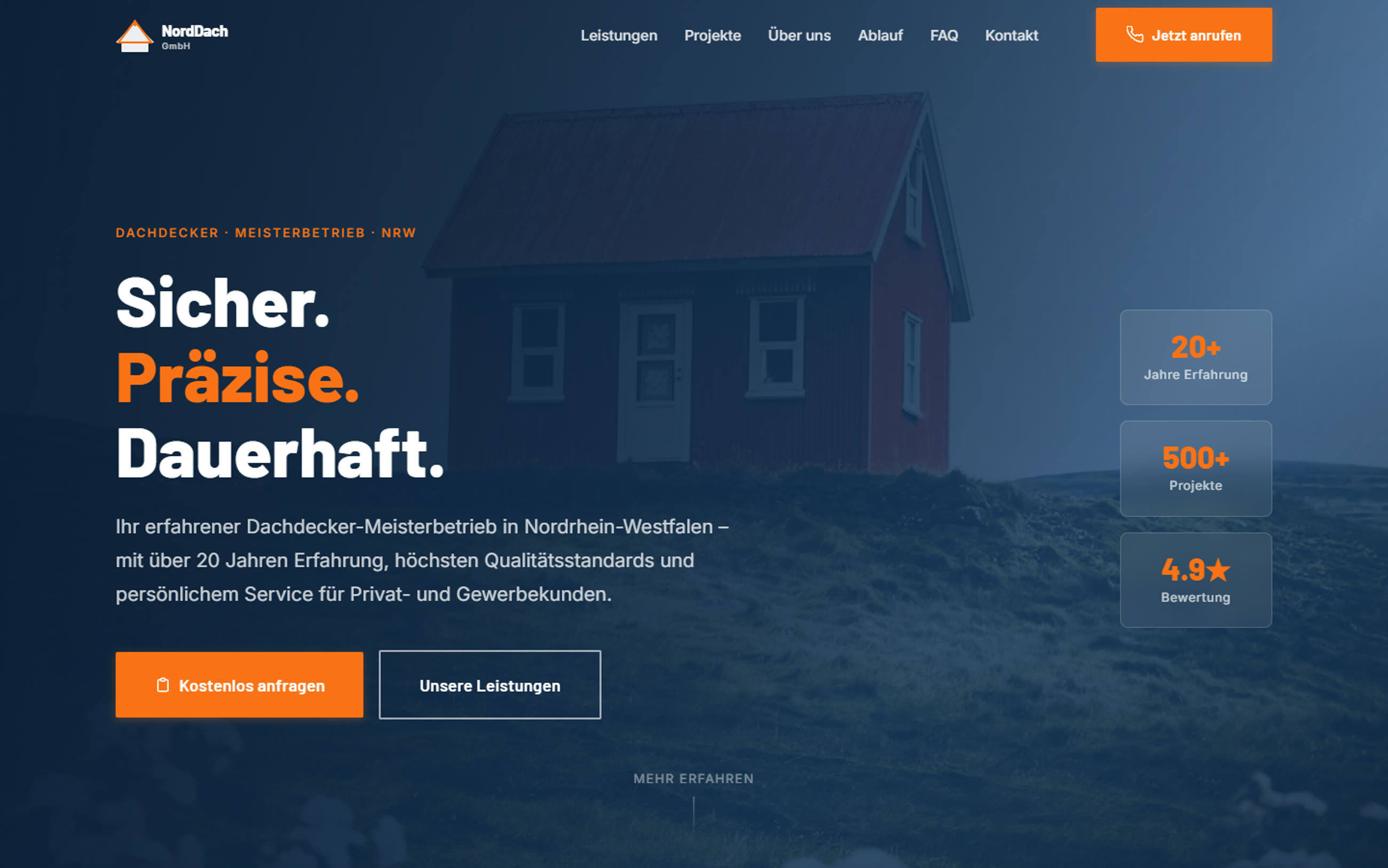
Proof, not adjectives
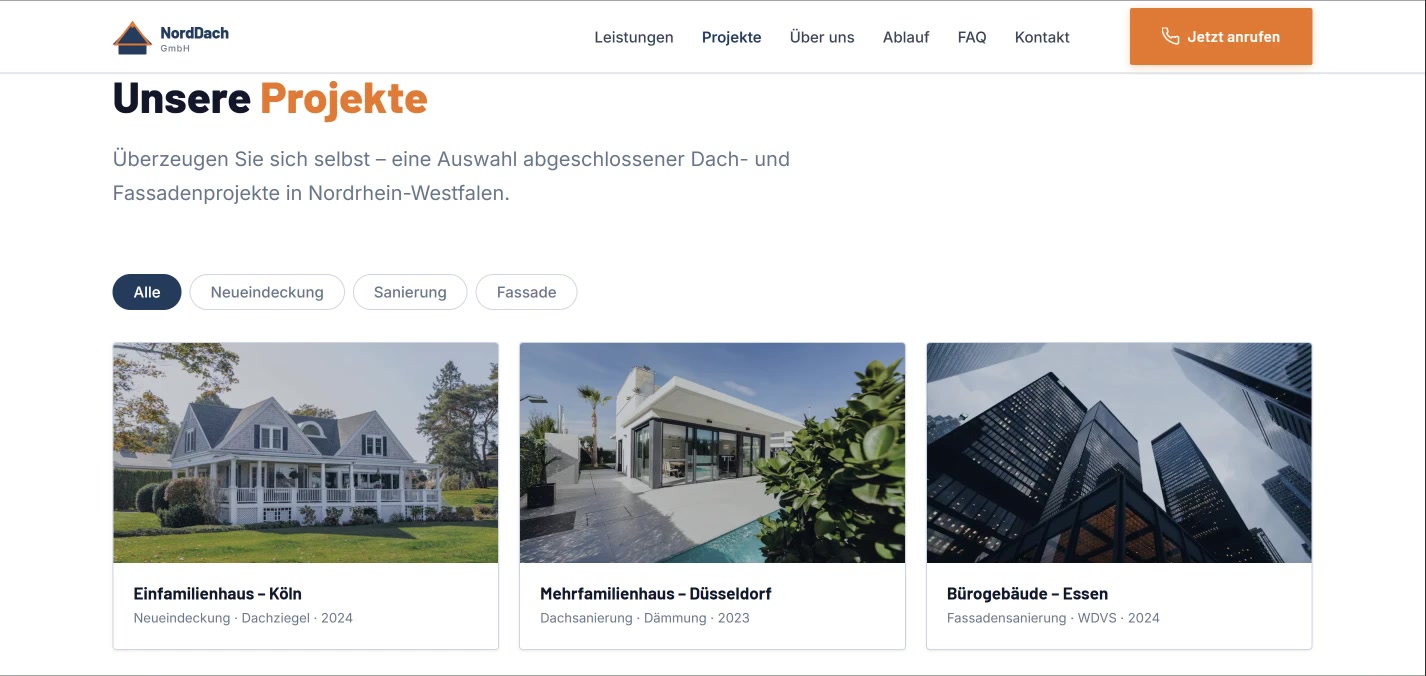
Key figures sit in the hero, real project photography replaces stock images, and the enquiry button stays reachable from every scroll position.
A colour system, not colour values
Everything runs on CSS custom properties. That was the precondition for making content swappable without the design coming apart.
No framework, no build step
A single HTML file. For a site meant to last years, that's the lowest-maintenance option: there is nothing that can stop building later.
Highlight · Content management
The more interesting half of this project isn't the website: it's the area behind it. The user here isn't the company's customer but the owner, and their problem isn't operating the thing. It's the fear of breaking it.
Enquiries, not an inbox
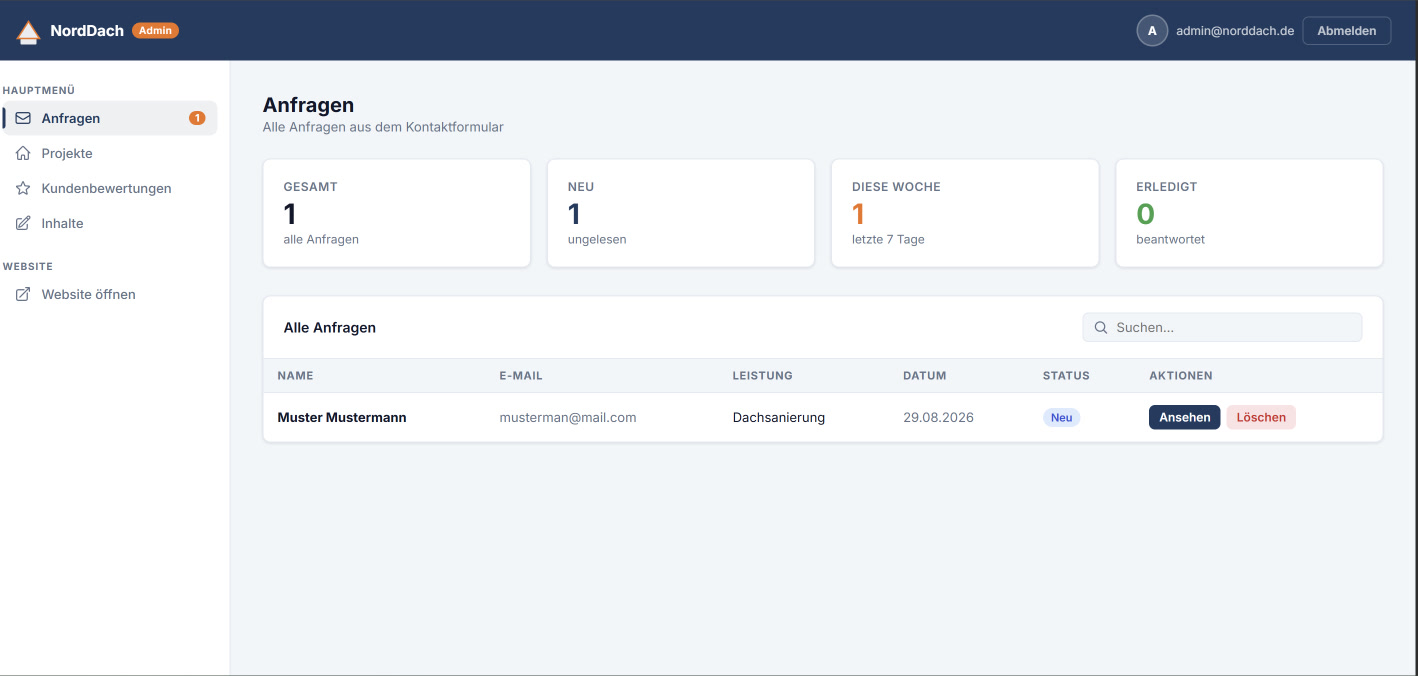
Form submissions land in real time in a list with status, search and counters, not among marketing email. The counters answer the only question someone opens this for in the morning: is there anything new?
Text in the language of the business
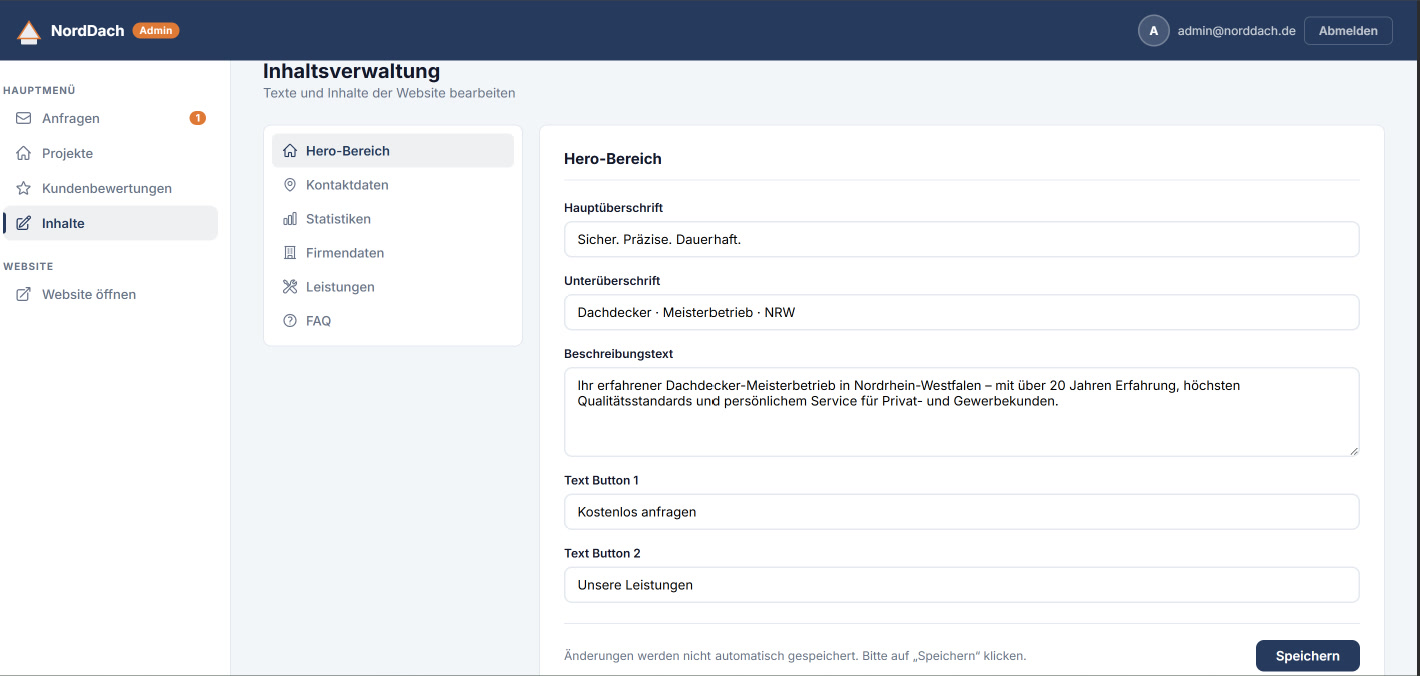
Content is grouped by page area (hero, contact details, statistics, company data, services, FAQ) not by data field. Someone changing the phone number looks under “contact details”, not in a table.
Saving happens deliberately, on click, with a visible note. Auto-save would be more convenient, but for someone who is already unsure, an explicit moment of confirming is more reassuring than a silent change.
The way back
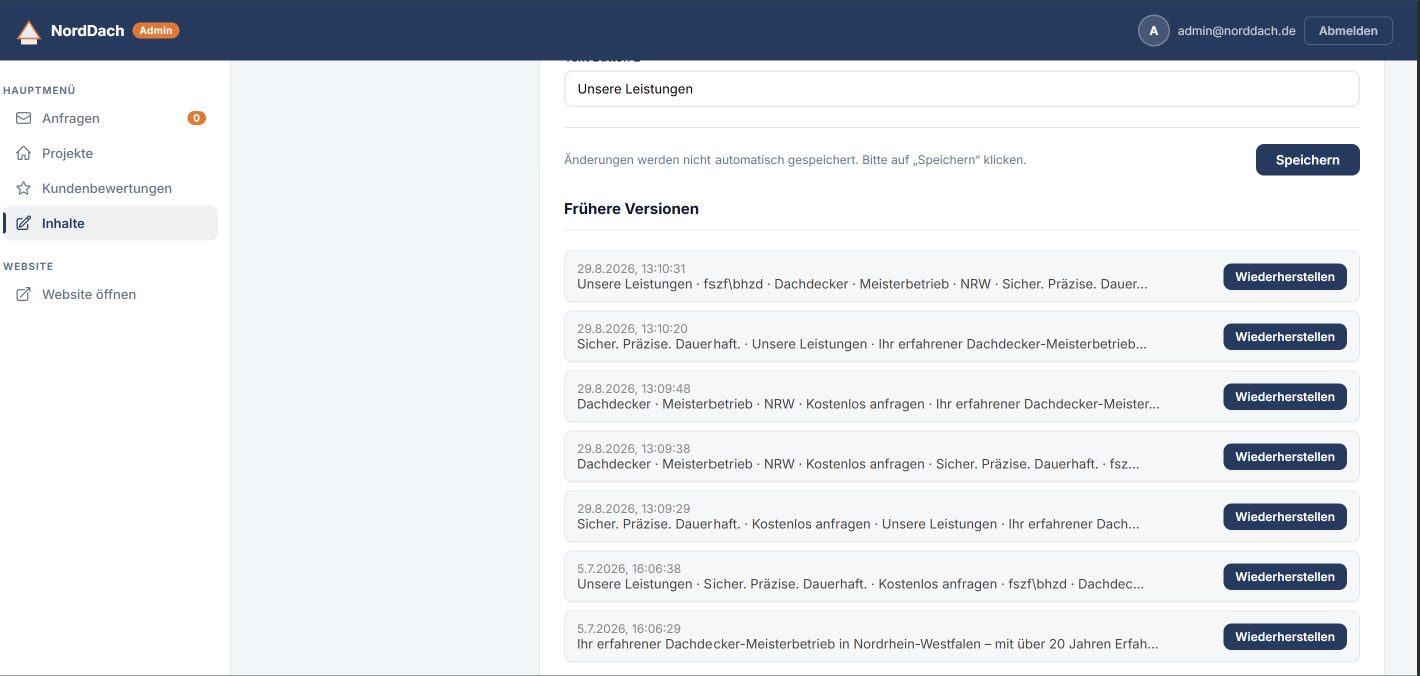
Every change writes a version with a timestamp and a text preview, restorable in one click. That's the answer to the original fear: nothing can be got permanently wrong.
The same reasoning sits in the technical layer. Content is read from the database on load. If a value is missing, the text baked into the HTML stays. The page cannot go blank, even if something goes wrong while editing.
Mobile
Enquiries to trade businesses come mostly from phones, often on the move. On narrow screens the enquiry button therefore takes priority: it sits directly under the intro text, while the key figures move further down.

Contact
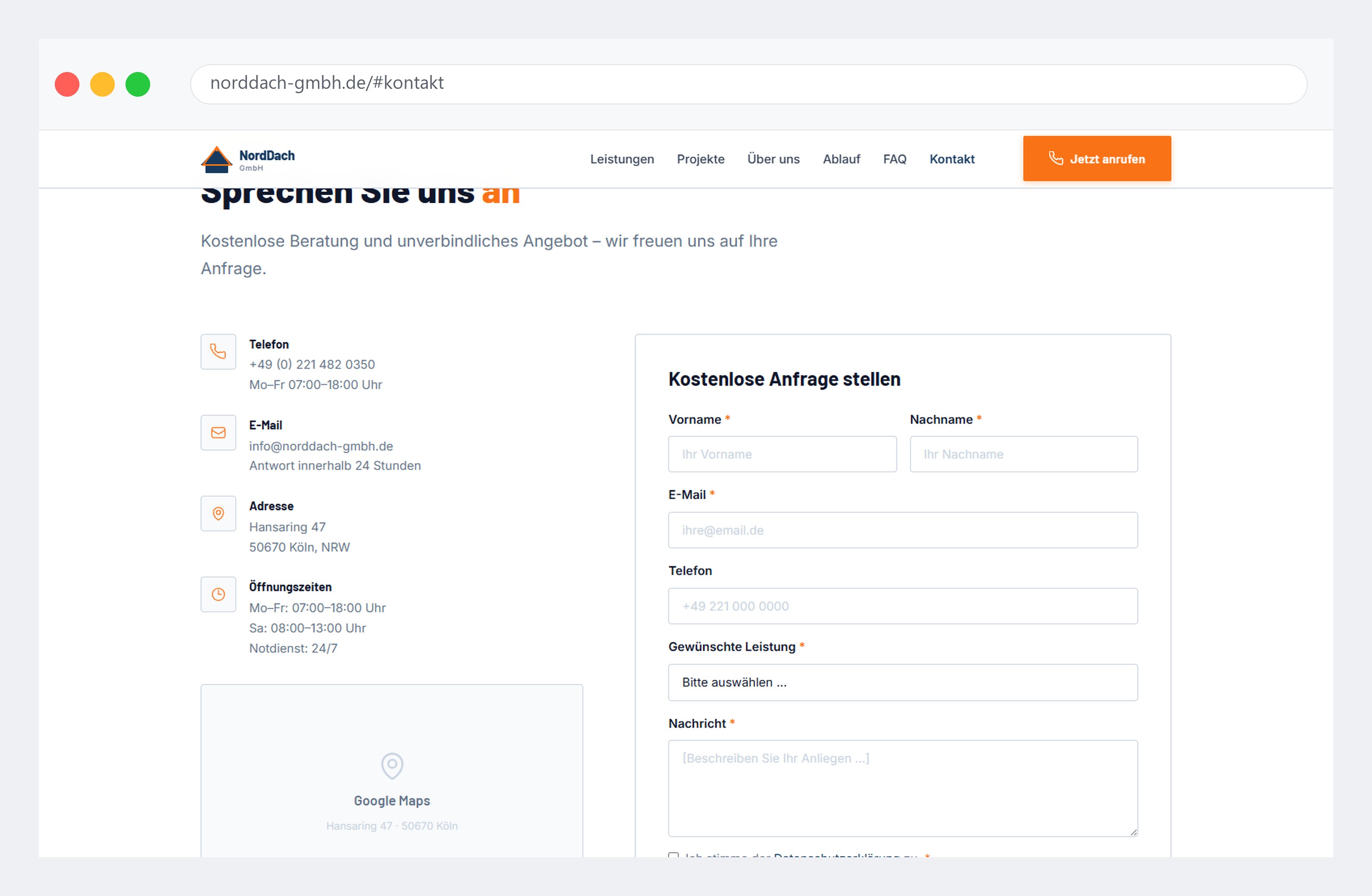
Phone, email, address and opening hours sit beside the form rather than under it. Someone who would rather call doesn't have to scroll past the form first. “Requested service” is a select rather than a free-text field: a sortable enquiry is worth more to the business than a nicely phrased sentence.
Accessibility
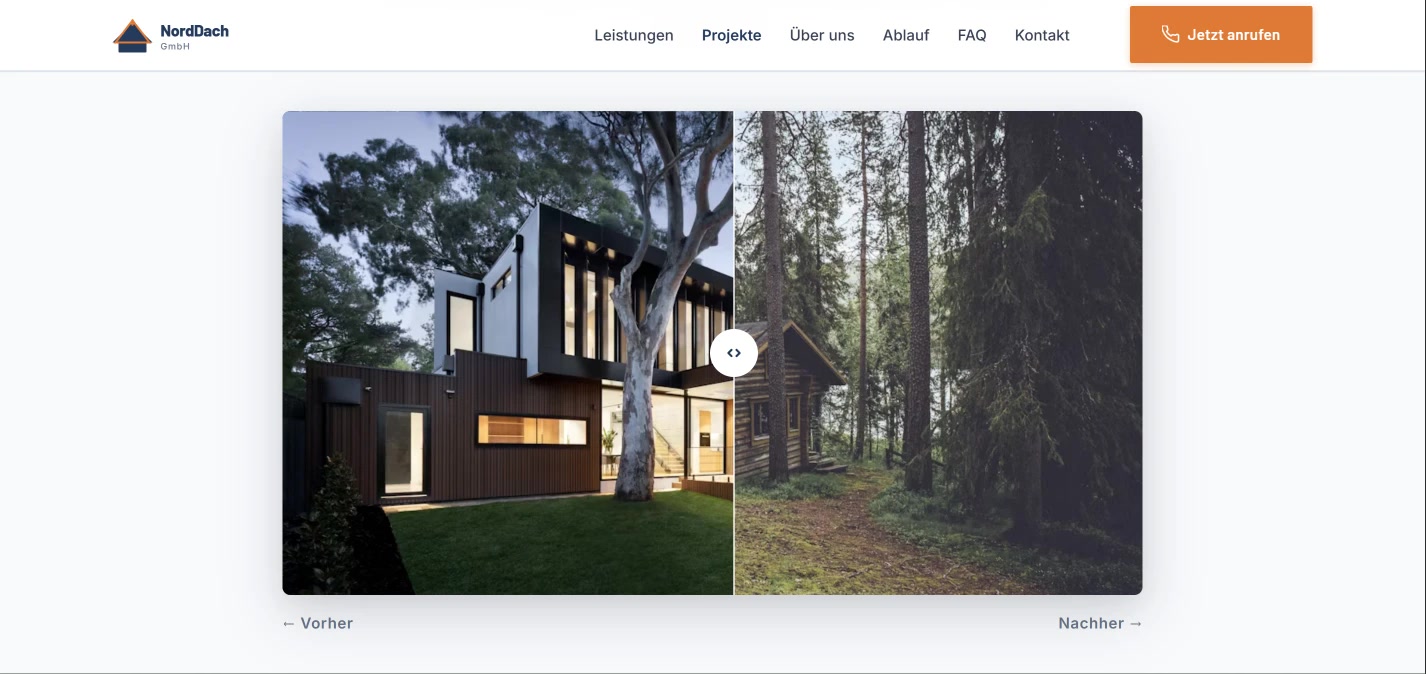
- The before/after slider is keyboard operable, not mouse and touch only: otherwise the most interactive part of the page would be unreachable for some visitors.
prefers-reduced-motionis respected: anyone who has reduced motion gets the content without scroll animations.- The enquiry form uses real labels and a visible required-field marker rather than placeholder text alone.
- Open: one contrast value still sits below the threshold: hence 97 rather than 100. The right place to fix it is the token system, not the individual case.
Outcome
Measured with Lighthouse against the published site, mobile, in a private window:
94
Performance
97
Accessibility
100
Best Practices
100
SEO
Largest Contentful Paint 2.3 s · Cumulative Layout Shift 0.024. Performance scores vary between runs; this is a single clean measurement, not the best of several attempts.
Self-maintained
All text, projects and reviews editable without a developer.
Nothing is lost
Version history on every change, restore in one click.
Never a blank page
If content is missing from the database, the HTML text takes over.
Learnings
The real user wasn't in the brief
The brief said “website for a roofing company”. The harder half was the area behind it, and the person who operates that didn't appear in the brief at all.
A way back replaces a lot of explaining
Much of what usually gets propped up with helper text is handled by a visible restore. Someone who knows they can go back will try something in the first place.
What I'd test next
Whether the version history is actually found while editing. It currently sits below the form. Two or three sessions with non-technical people would answer that.
In short
Trade websites go stale because changes depend on a developer. NordDach pairs a trust-building website with an admin area where all content is self-maintained: backed by version history and an HTML fallback so the page can never run empty.