Snapshot
Problem
A practice site serves someone comparing calmly and someone in acute pain at the same time. They need the opposite of each other.
Goal
Both paths on one home page, without it looking like two pages glued together.
My role
Concept, information architecture, design and build, solo.
Outcome
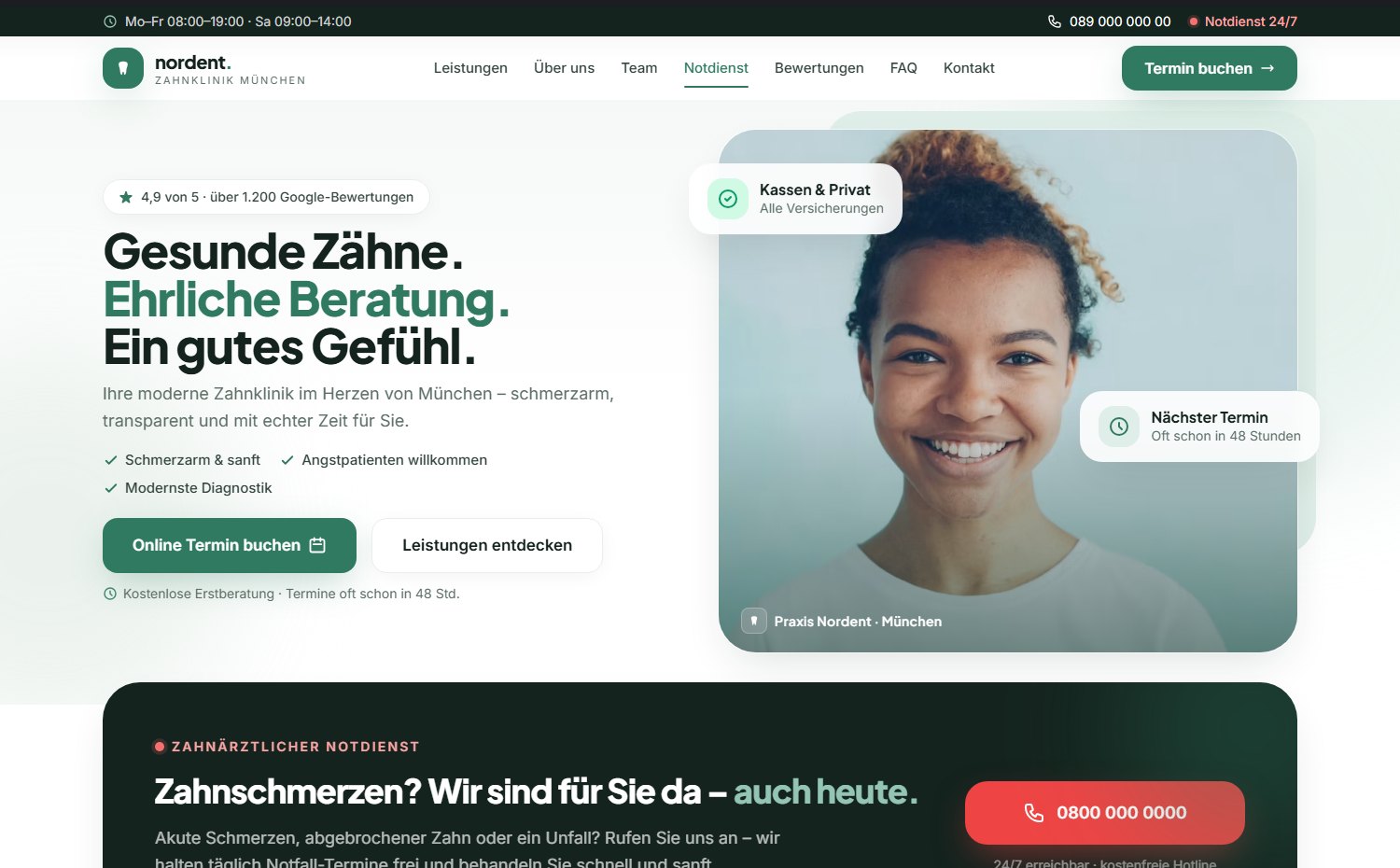
The emergency path is the second thing on the page. Lighthouse 84 / 100 / 100 / 100.
Context
Dental websites have an audience that is hard to reconcile. Half of it is browsing calmly: comparing practices, reading about implants, looking at the team. The other half has been in pain since last night.
What helps one gets in the other’s way. Someone comparing needs substance: team, procedures, costs, reviews. Someone in pain reads none of it. That person needs a phone number and the certainty that somebody is there today.
The usual answer is an “Emergency” item in the menu. That assumes a person with a throbbing tooth reads a menu and guesses right.
How to read this project
Nordent is a concept project. The practice, the team, the awards, the reviews and the figures are invented; there was no client and no user research. The design, the information architecture, the build and the measured scores are real.
The central decision
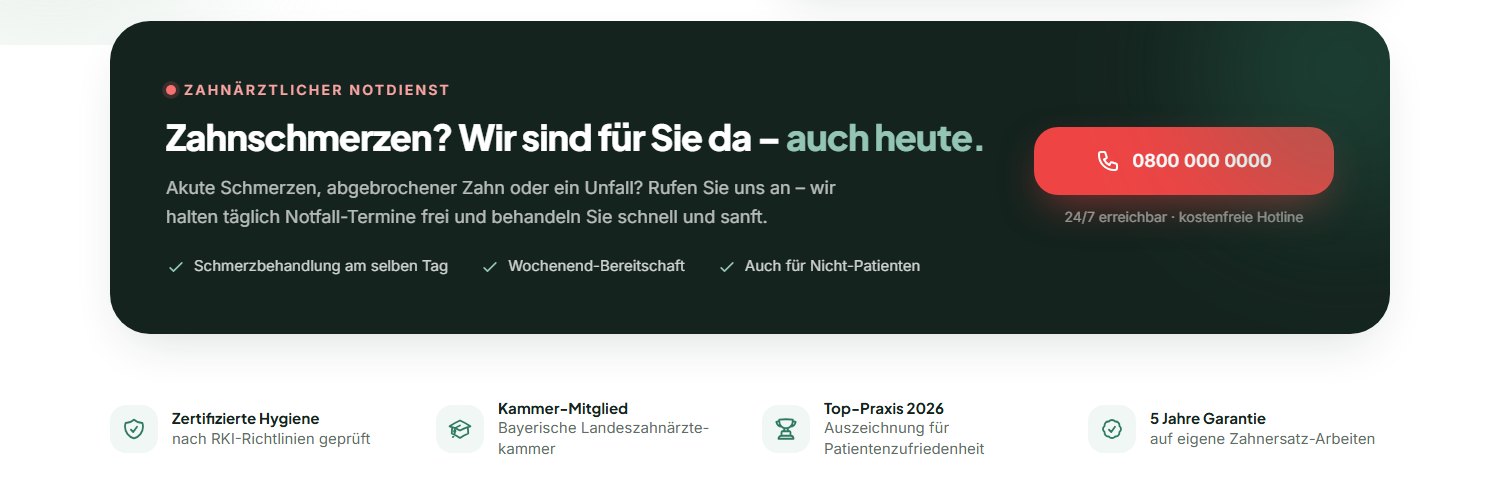
The emergency service gets no menu item. It gets second place on the page: directly below the hero, as its own dark block with a red phone button.
Someone in pain scrolls once and is there. Someone comparing scrolls past and loses nothing: the block is short, and in passing it answers a question calm visitors also have: can I get an appointment here at short notice?
Design
Three decisions, all assuming the person reading is nervous.
Teal, not clinical blue
The usual practice blue reads as sterile; playful colours lose credibility. A warmer green-teal holds both: calm enough for anxious patients, precise enough for a health decision.
Proof instead of stars
Not “five stars, trust us”, but things that can be checked: certified hygiene, chamber membership, length of guarantee, and reviews with the practice’s reply visible underneath.
The cost question up front
A fixed quote before treatment, instalments named before anyone has to ask. In dentistry the price is the second fear after the pain.
Highlight · The booking flow
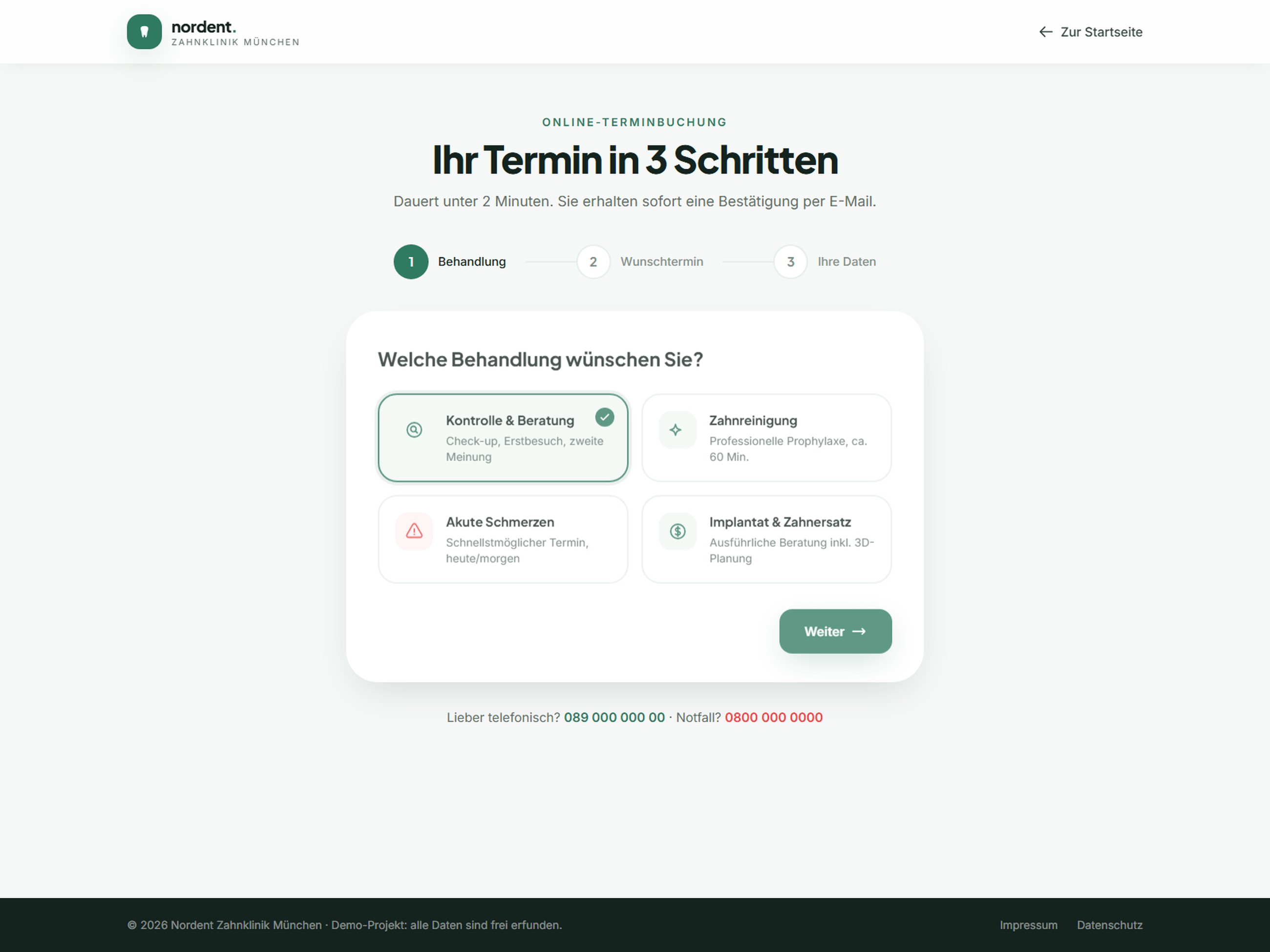
Medical booking forms almost always ask for a name first. That is the order of the admin system, not of a conversation: at a reception desk nobody opens with “surname?”.
The concern first, the person second
Step 1 asks what it is about: check-up, cleaning, pain, implant. It is the question the patient can answer without giving anything away, and behind the scenes it already sorts out the right appointment length.
Only then come the date and the contact details. Anyone who abandons has entered nothing personal up to that point.
Accessibility
While building this case study I audited the site again and found and fixed three real defects:
- The star rating was a
divcarrying anaria-label: prohibited on adivwith no role, so screen readers announced no rating at all. Nowrole="img". - The logo link had an
aria-labelthat did not contain all of its visible text. That breaks WCAG 2.5.3 Label in Name and with it voice control. The attribute is gone; the visible text is the name. - There was no
robots.txt.
Accessibility went from 96 to 100, SEO from 92 to 100.
Outcome
Measured with Lighthouse against the published site, mobile, in a private window:
84
Performance
100
Accessibility
100
Best Practices
100
SEO
Largest Contentful Paint 3.9 s · Cumulative Layout Shift 0 · Total Blocking Time 0 ms. Before the fixes above this read 65 / 96 / 100 / 92. Tailwind now ships as a built stylesheet rather than from the CDN. A single clean measurement, not the best of several runs.
Two paths, one page
The emergency route is the second section, not a menu item.
Booking without paying in first
The treatment is chosen first; personal details come last.
Trust with evidence
Hygiene, chamber, guarantee and answered reviews instead of a star count.
What I learned
Order is cheaper than navigation
The emergency route needed no new page and no menu item, only a different position in the order. It was the most effective decision in the project and cost no extra work.
A form has a conversational order
Concern first, person second: it feels right because it matches the order used at a reception desk. Forms otherwise inherit their order from the database.
What I would test next
Whether the emergency block still arrives early enough on a phone, where it sits below a tall hero. And whether “also for non-patients” is actually read. That is the line that triggers a call or prevents one.
In short
A practice site serves two people who need opposite things. Nordent solves that with order rather than navigation: the hero works for the one comparing, the second section for the one in pain, and the booking flow asks about the concern before it asks about the person.
See it live
The built practice site is running: the emergency route and the booking flow can be clicked through there.
Concept project: the practice, team, awards, prices and contact details are invented.