Snapshot
Problem
Salon templates all reach for the same pastel palette. It reads young and cheap, not premium.
Goal
Seven pages sharing one handwriting, not seven separately designed screens.
My role
Concept, palette, art direction, design and build, solo.
Outcome
Proof the visitor moves themselves. Lighthouse 79 / 100 / 100 / 100.
Context
A salon does not only sell a haircut, it sells an hour of calm. That is easy to say and hard to show: the category reaches almost unanimously for pink and lavender, and that palette reads as young and cheap, the opposite of what a studio charging three figures needs.
Then there is a scope problem. Seven pages (home, services, prices, gallery, team, booking, contact) normally get made one after another, and it shows: seven designs sharing a navigation bar.
Both problems have the same cause: no decision has been made that applies to all seven pages.
How to read this project
AURELIA is a concept project. The studio, the team, the prices, the reviews and the figures are invented; there was no client and no user research. The design, the art direction, the build and the measured scores are real.
The central decision
Instead of designing seven layouts, I fixed three rules and carried them through every page: a palette of warm beige, gold and white; a pairing of an editorial serif with a quiet sans; and a single card shape: the same radius, the same milky glass surface, everywhere.
After that each new page was an application of the rules rather than a fresh design problem. It is also why the seven pages feel like one place rather than a folder.
Design
Three decisions, all following the same question: how does someone tell within two seconds that this place costs more than the chain around the corner?
Beige, not pink
Warm beige, gold and white replace the expected pastels, paired with an editorial serif for headings and a quiet sans for text, so the studio reads considered rather than cute.
One shoot out of many images
Every photograph (team, services, interiors) was colour-matched individually. Nothing gives away gathered stock faster than two different white balances sitting side by side.
Soft glass, everywhere
Milky card surfaces pick up the softness of a spa setting, not just in the hero, but as one component running through all seven pages.
The proof
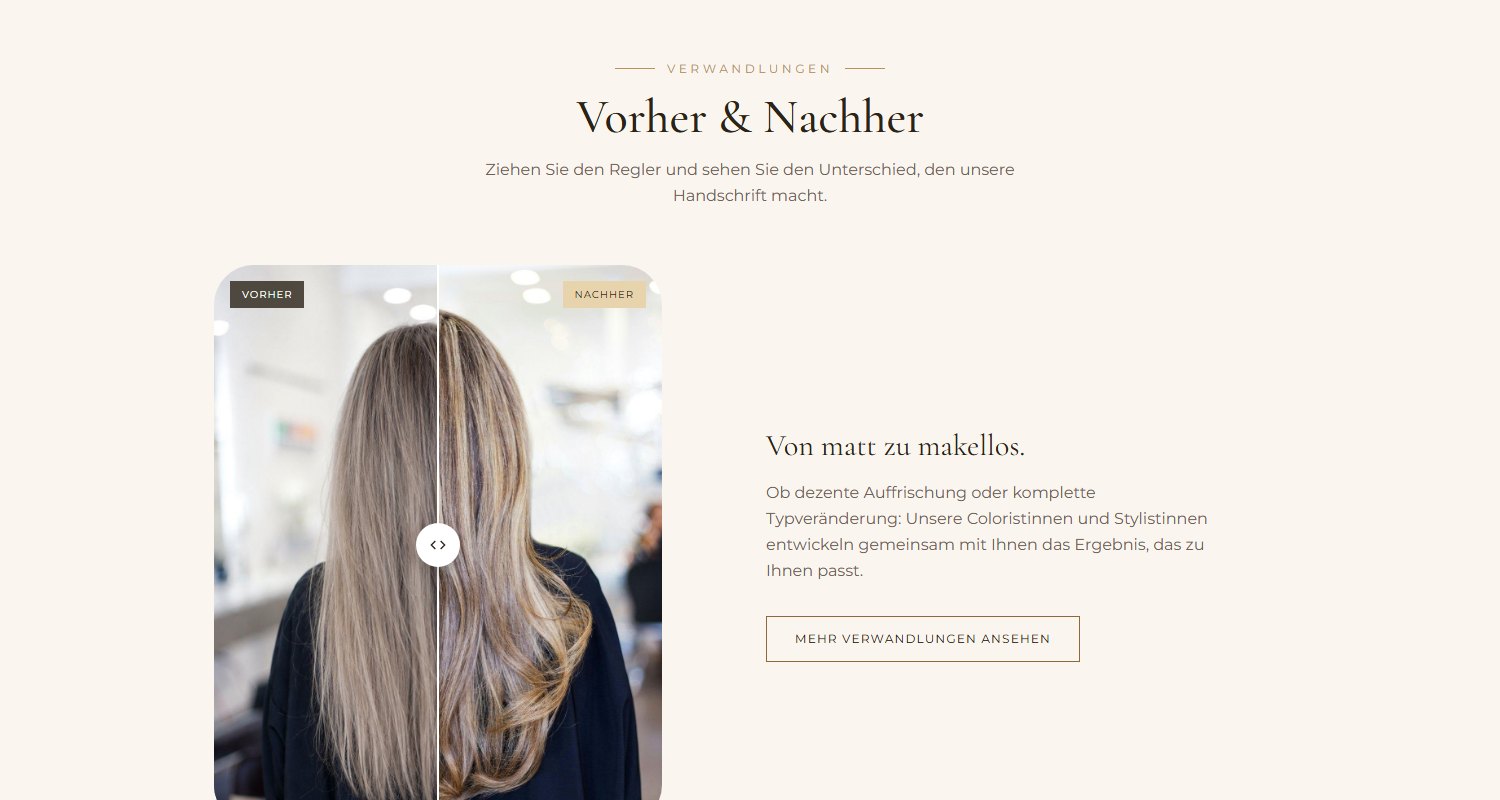
Results are a salon’s most convincing argument and simultaneously its least believable one: two photos side by side look like advertising, because the sender chose them.
A slider inverts that. The visitor decides how far to drag and how long to look, and a claim becomes an action. It works with mouse, touch and keyboard, so that holds for someone who tabs rather than drags.
Highlight · A walk through the seven pages
Four recordings from the built site. They show what the shared handwriting actually rests on, and where it corrected me while building.
A hero that earns the scroll
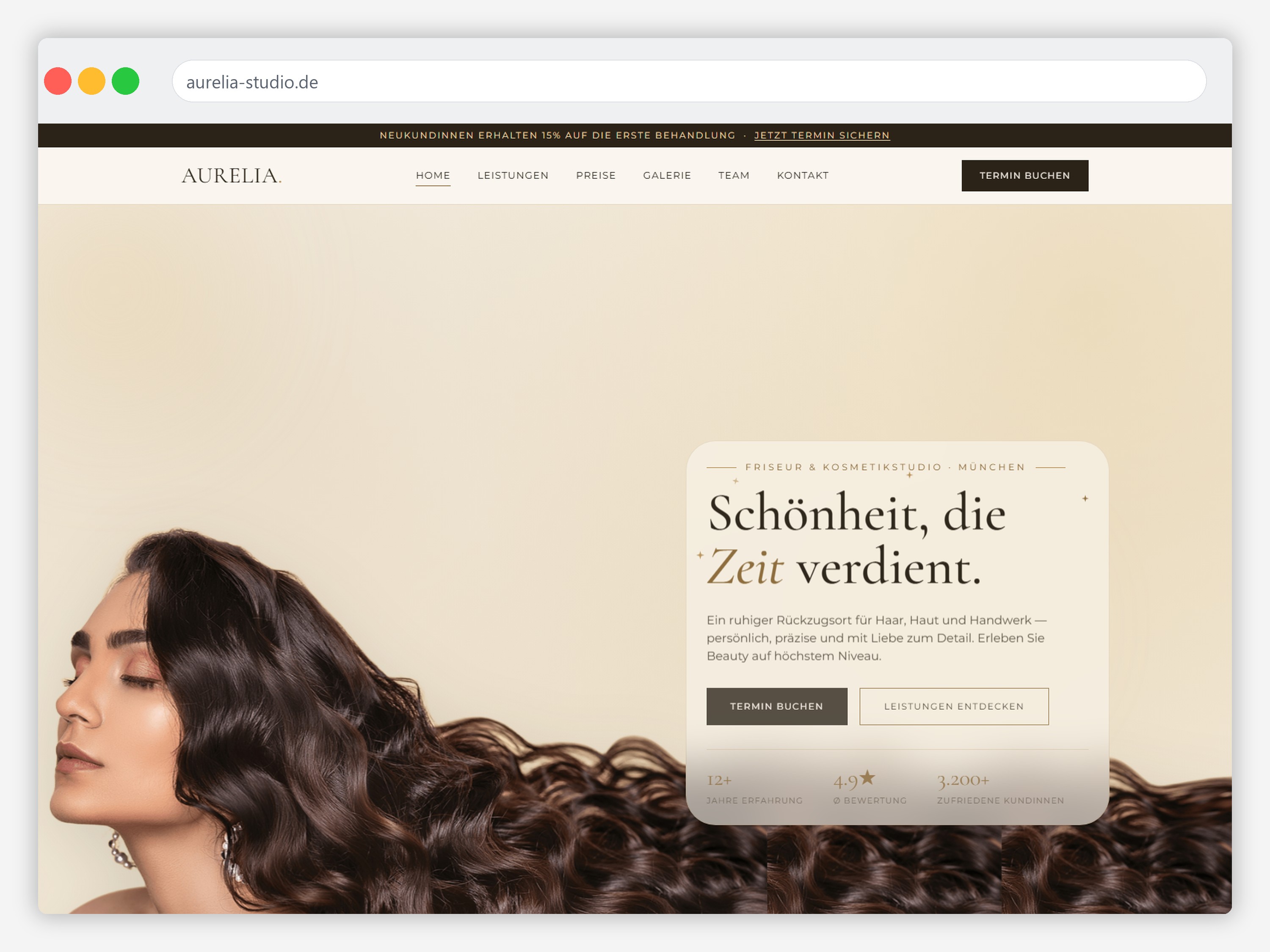
The homepage hero blends a cut-out portrait straight into the page’s own gradient instead of boxing it inside a photo frame: after several framed attempts, dropping the frame entirely was what made the hero feel like part of the page rather than a stock photo pasted on top of it. A frosted glass panel carries the headline and stats without hiding the portrait behind it.
Every service, one consistent frame
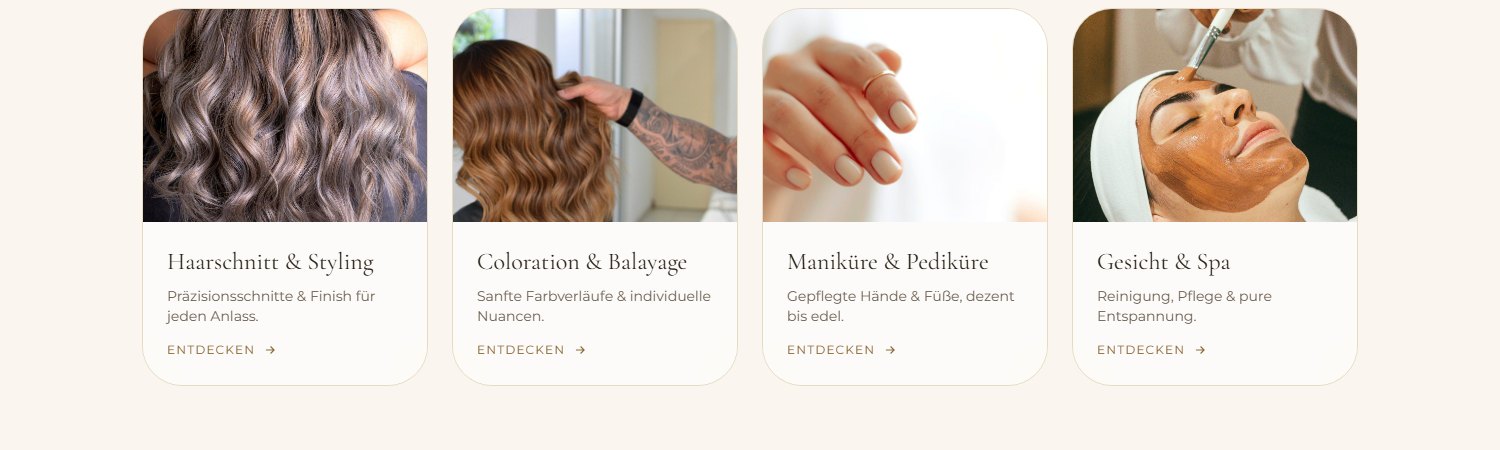
The rounded-corner treatment from the hero extends across all four service categories: photo and price teaser share a single frame instead of the image rounding independently from a square text panel beneath it, so scrolling through services reads as one continuous surface rather than stacked cards.
One clear price, one clear tab
Tabbed pricing keeps four service categories from overwhelming a single long list, with exactly one visibly active tab at a time, and the gift-card section is styled as its own quiet upsell rather than a banner shouting for attention.
Getting in touch without friction
A contact form, live map and FAQ accordion all live on one page, so a visitor never has to hunt across the site for a phone number: styled with the same calm, glass-panelled language as everywhere else, instead of the usual bare utility page.
Accessibility & performance
While building this case study I measured the published site, and it failed. Largest Contentful Paint was 17.8 seconds. Found and fixed:
- Seven megabytes of images and not one
loading="lazy". A phone downloaded the entire gallery before the first screen finished. Now only the hero loads immediately; everything else loads on scroll. - The hero image was a 1.2 MB PNG, and therefore the slowest element on the page. As WebP with transparency it is 183 KB at the same quality. (I tried and rejected an intermediate fix with reduced colour depth: it saved about as much but produced visible banding on skin, and for a beauty studio the image quality is the product.)
- No page had a
<main>landmark. That leaves screen-reader users without a skip target. Added on all seven pages. - Tailwind was loaded from the CDN. That is 124 KB of JavaScript compiling the CSS in the browser on every visit: Lighthouse attributed about 850 ms of main-thread work to the document because of it. Built once, it became 19 KB of CSS, and blocking time fell from 170 to 50 ms.
Transferred payload: from over 4.7 MB to 1.2 MB. Largest Contentful Paint: 17.8 s to 3.7 s.
Outcome
Measured with Lighthouse against the published site, mobile, in a private window:
79
Performance
100
Accessibility
100
Best Practices
100
SEO
Largest Contentful Paint 3.7 s · Cumulative Layout Shift 0 · Total Blocking Time 50 ms. Before the fixes above this read 56 / 98 / 100 / 100 at 17.8 s. A single clean measurement, not the best of several runs.
One handwriting, seven pages
Three rules instead of seven designs. Each page is an application, not a new problem.
Evidence, not assertion
The before/after slider is moved by the visitor, with mouse, touch and keyboard.
Almost five times faster
17.8 s to 3.7 s, transferred payload from 4.7 MB to 1.2 MB.
What I learned
The frame was the problem
For several attempts the hero looked like a stock photo pasted on. It wasn’t the picture, it was the frame around it: only when the cut-out portrait ran straight into the gradient did it belong to the page. Removing was the fix, not adding.
Built beautifully is not built well
This site looked finished and, at 17.8 seconds, was effectively unusable on a mobile connection. I had never measured it. That was the real mistake, not the PNG.
What I would test next
Whether the before/after slider is even recognised as draggable on a phone. On a desktop the handle is unmistakable; on a touchscreen with no cursor that is an open question five people could answer in ten minutes.
In short
A salon sells calm; the category sells pastel pink. AURELIA answers with a beige-and-gold palette, three rules that apply to all seven pages, and evidence the visitor moves themselves: plus the lesson that a beautiful page taking 17 seconds to load is not a beautiful page.
See it live
All seven pages are reachable, including the gallery, the price list and the booking flow.
Concept project: the studio, team, prices and contact details are invented.