Snapshot
Problem
Physiotherapy sites are organised by treatment method. Patients don’t know methods, only their pain.
Goal
An entry point in the patient’s own words that ends at the right appointment without a detour.
My role
Concept, information architecture, design and build, solo.
Outcome
A dedicated complaints layer with filters, in front of a three-step booking flow that starts with the concern.
Context
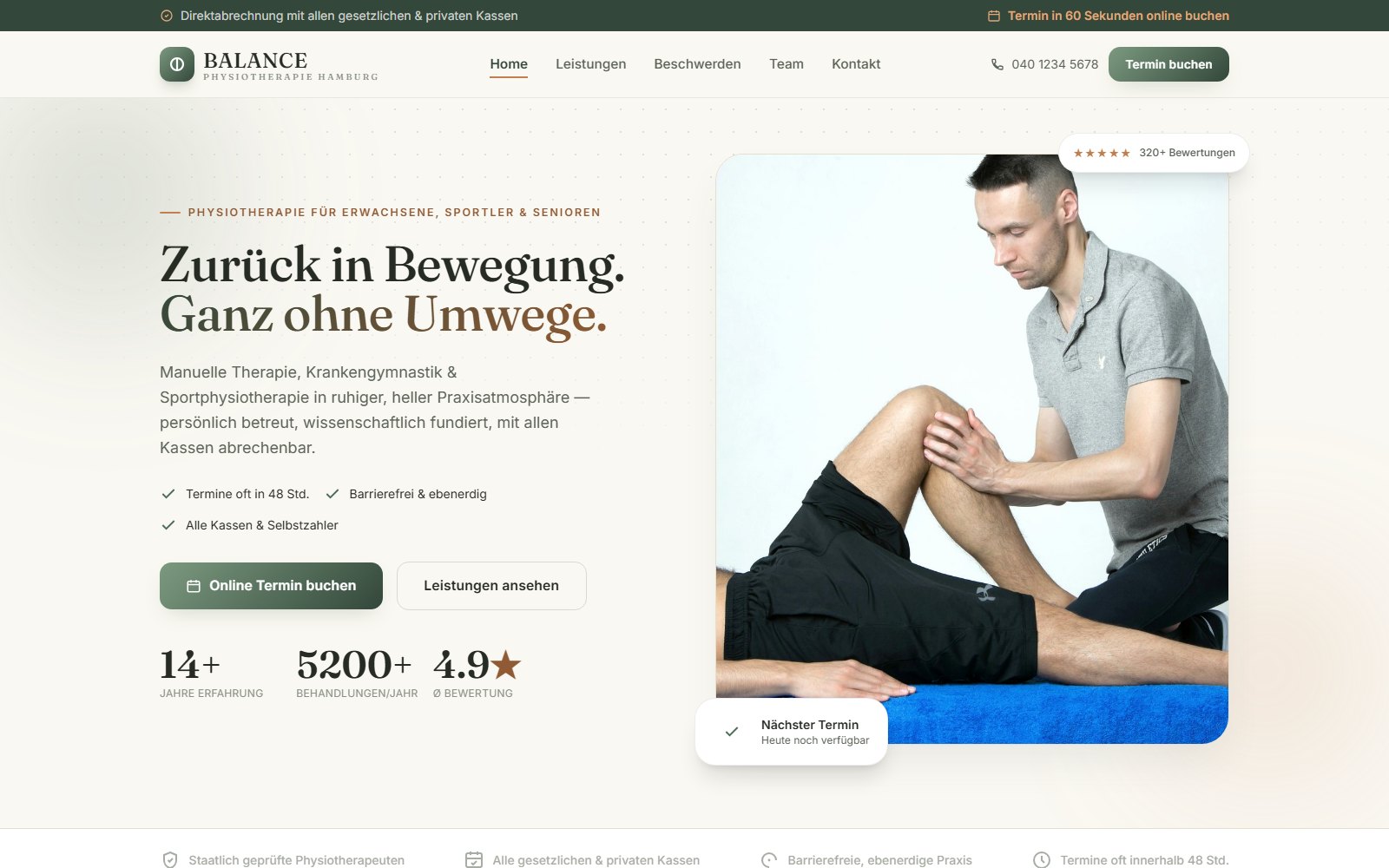
A physiotherapy practice draws a mix of visitors few other industries see: people in acute pain, athletes after an injury, older patients after an operation. Very different people: with one thing in common.
None of them knows which treatment they need. Someone with back pain isn’t searching for “manual therapy”. They’re searching for back pain.
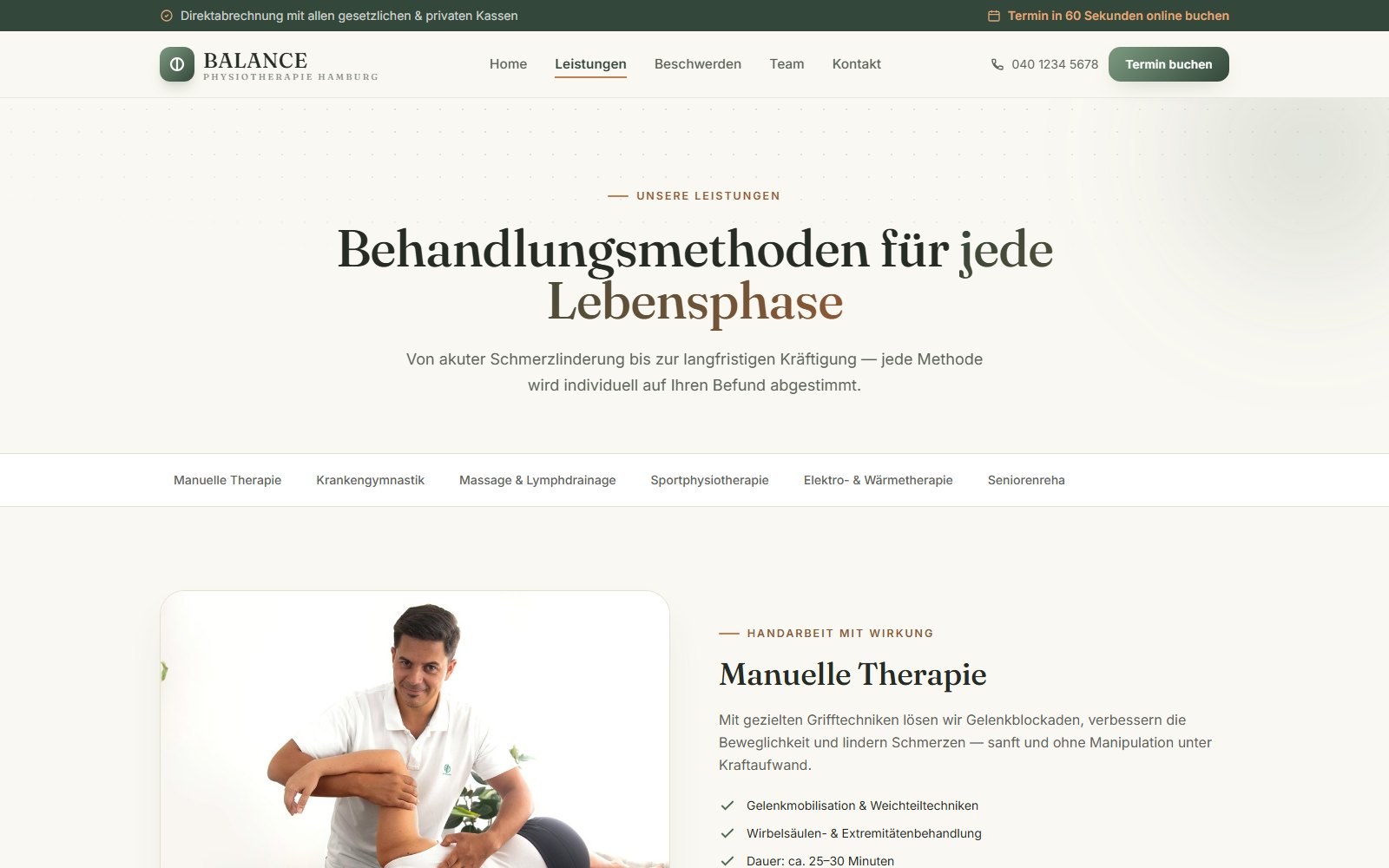
Practice websites are nonetheless almost always organised by method: manual therapy, exercise therapy, lymphatic drainage. That is the practice’s language, not the patient’s. The translation work is left to the person who is unwell.
How to read this project
BALANCE is a concept project. The practice, the team, the reviews and the figures are invented; there was no client and no user research. The design, the information architecture, the build and the measured scores are real.
The central decision
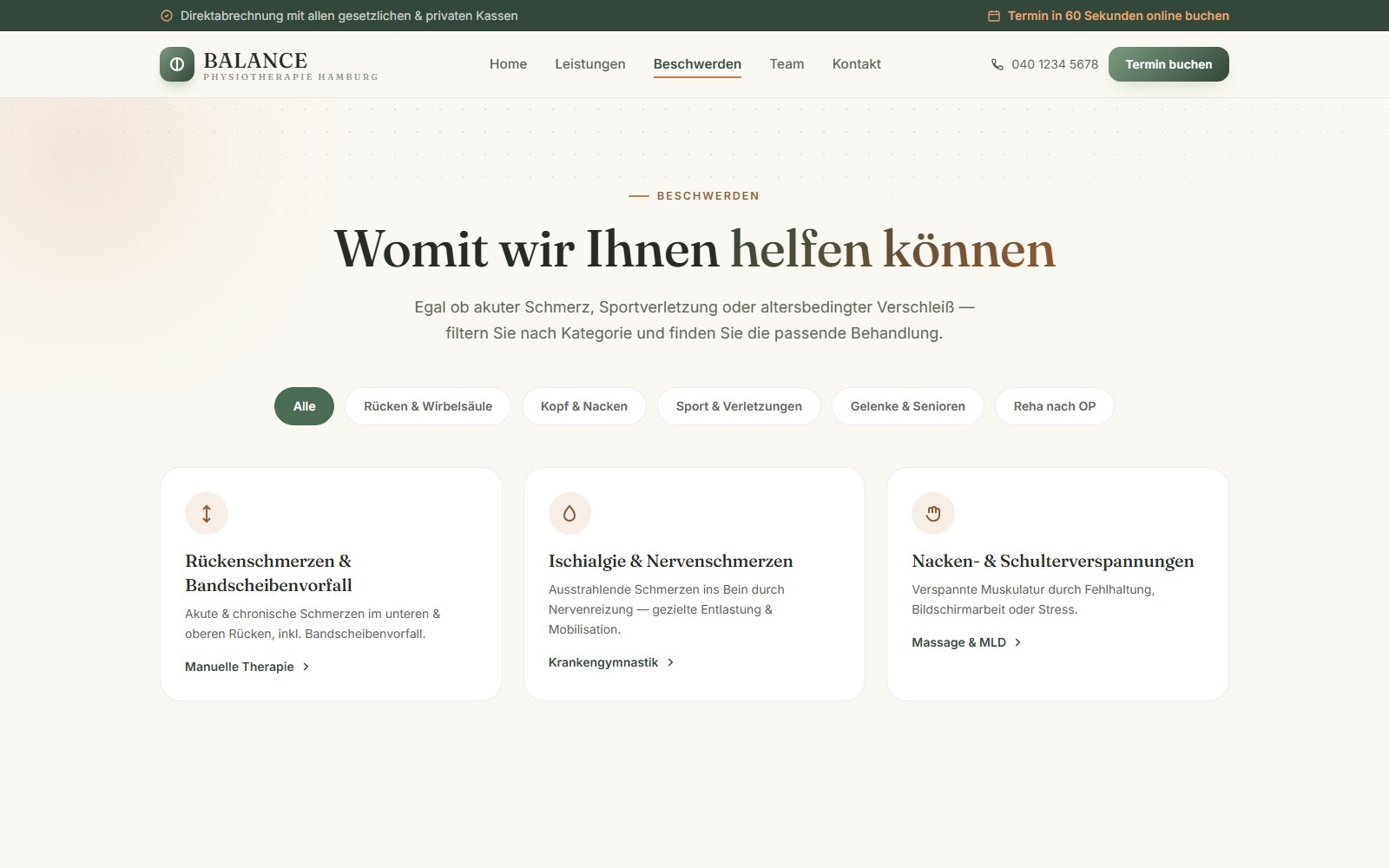
The site gets a second navigation layer: “Complaints” sits alongside “Services” as an equal. Complaints are sorted by body region and cause (back, neck, sport, joints, post-surgery rehab) and each one names the treatment that goes with it.
The patient enters the site in their own words. The site does the translating into clinical terms.
Design
Three decisions, all following from the same observation: this site is often used by people who are in pain.
Calm, not clinical
Sage green and clay on a warm paper tone, a serif for headings. The opposite of practice blue-and-white, and closer to what the practice actually promises: that it takes its time.
The money question first
Statutory insurance, private insurance or self-paying: three clear cases instead of one paragraph. Someone unsure whether they can afford it doesn’t call.
Accessibility as content
Part of the audience arrives with a walking aid or after surgery. “Step-free and accessible” is a statement here, not a checkbox, and the site itself is built to match.
Highlight · The booking flow
The usual way into an online booking is a calendar. That assumes the patient already knows what is being booked, and how long it takes. They know neither.
So the flow here opens with a different question.
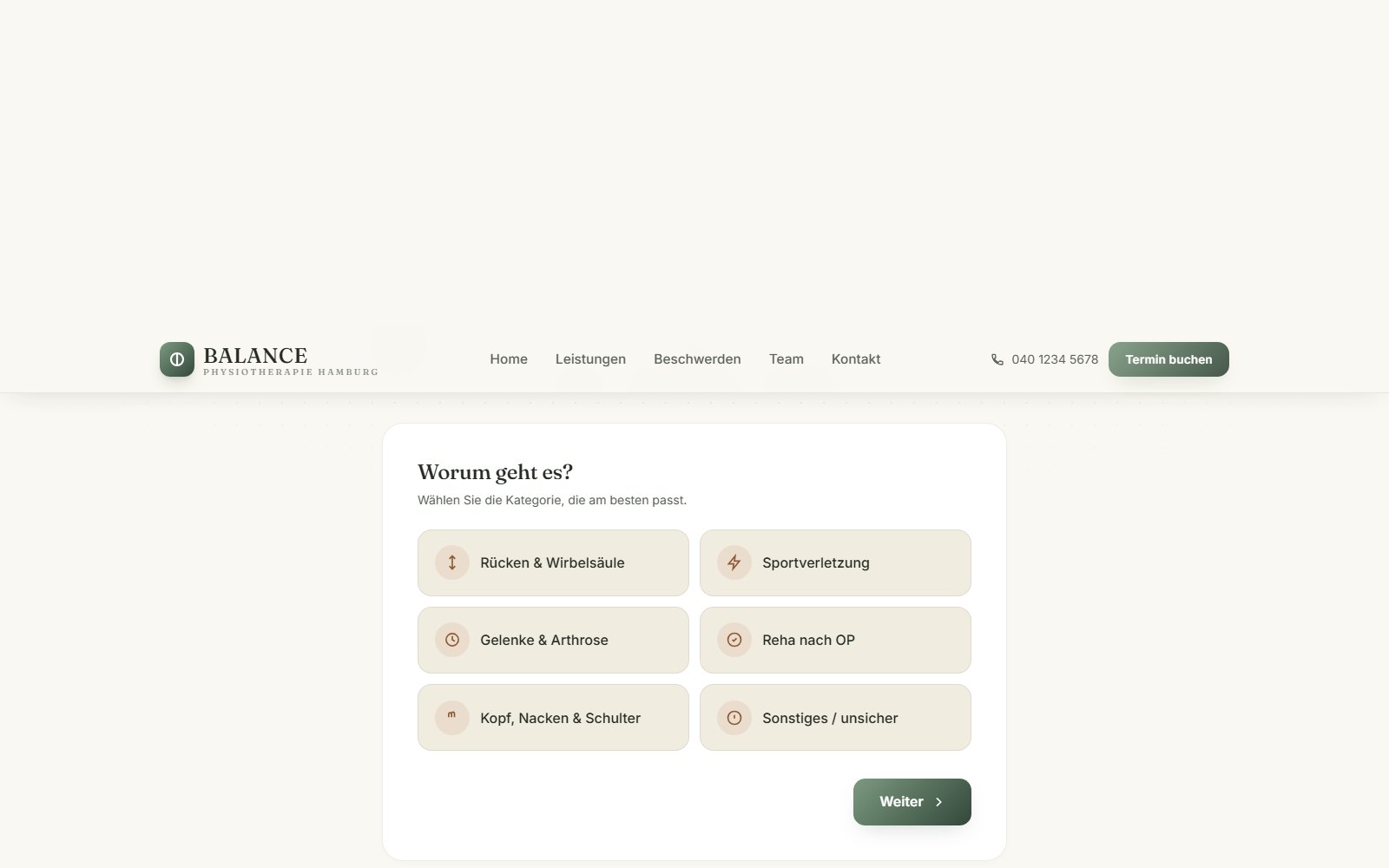
Step 1 doesn’t ask “when”, it asks “what is it about?”
Six categories in patient language, including “Something else / not sure”: the option usually missing from forms like this, and without which anyone who cannot classify their own problem abandons right here. Only step 2 shows times and therapists; step 3 takes contact details.
The phone number stays visible throughout. Someone who would rather talk shouldn’t have to pass three steps to earn it.
Accessibility
For a practice treating older patients and people recovering from surgery, accessibility isn’t an add-on. It is part of the brief.
- Skip link to the content as the first focusable element
- The whole booking flow is keyboard operable, and each step is reachable on its own
- Text contrast above the WCAG AA thresholds throughout
- Descriptive alternative text on every image; decorative graphics hidden from assistive technology
Outcome
Measured with Lighthouse against the built site, mobile, in a private window:
76
Performance
100
Accessibility
100
Best Practices
100
SEO
Largest Contentful Paint 3.9 s · Cumulative Layout Shift 0. Before moving to a built Tailwind stylesheet this read 72 at 4.1 s; the CDN was compiling the CSS in the browser. A single clean measurement, not the best of several runs.
Entry in patient language
Ten complaints with filters, each linked to the treatment that fits.
Booking without prior knowledge
Three steps that begin with the concern rather than a calendar.
Costs settled up front
Statutory, private and self-paying answered separately, before anyone has to ask.
What I learned
The structure is the real design work
On this project the decision to open a second navigation layer changed more than any choice of colour or typeface. It cost no extra code, only the willingness not to organise the site the way the business talks about itself.
“Not sure” is a real answer
The “Something else / not sure” category looks like a catch-all. It is in fact the only honest answer for someone without a diagnosis, and without it, step 1 would have excluded exactly the people the site is for.
What I would test next
Whether “Complaints” is even understood as a menu label, or whether something like “Where does it hurt?” carries better. Five people and half an hour would answer that.
In short
Practice websites are organised around the practice’s methods, even though patients only know their symptoms. BALANCE inverts that: a dedicated complaints layer translates pain into treatment, and the booking flow asks about the concern first, so the path from symptom to appointment works without prior knowledge.
See it live
The built practice site is running: the complaint filters and the three-step booking flow can be clicked through there.
Concept project: the practice, team, prices and contact details are invented.